
时间:2023-06-07 09:00
人气:
作者:admin
在linux下面安装arm交叉编译工具,实现下载、调试
如果用sudo apt-get remove gcc-arm-none-eabi 安装的交交叉编程工具,是没有含GDB工具的,所以需要卸载后才能安装。
sudo apt-get remove gcc-arm-none-eabi就可以完成卸载,如果还有在/usr/bin/arm-none-eabi-下面的文件有冲突的,先要删除才能安装成功。
安装包下载网址:Downloads | GNU Arm Embedded Toolchain Downloads – Arm Developer
我的虚拟机是x86的,所以下载以下文件。下载速度很慢的,可以复制链接,用下载工具下载。
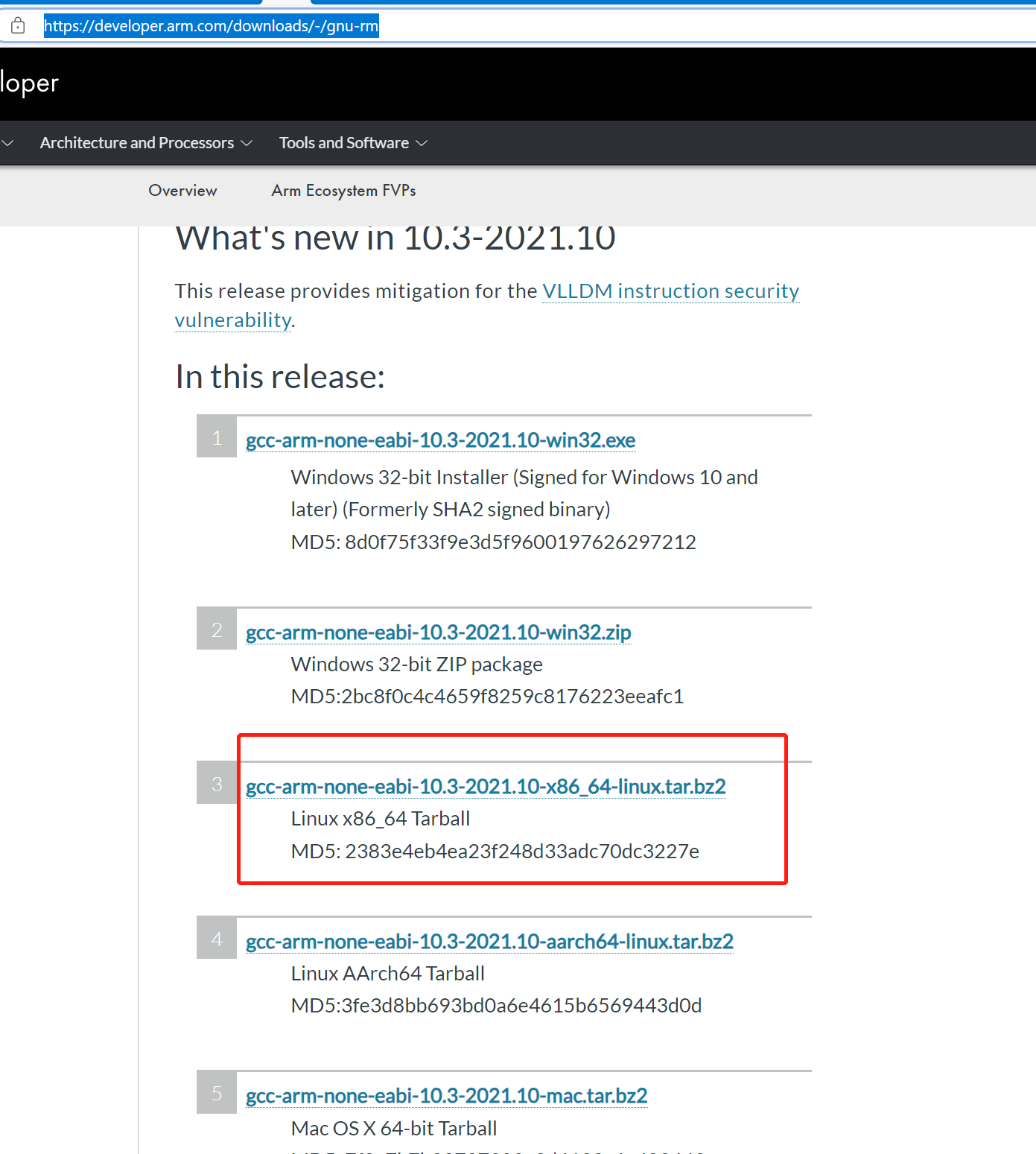
我试着按其人的安装教程,想把文件解压到/usr/share/目录下,但是好象不能成功。我所以在/opt/下面新建了gdb文件夹,并修改权限。
然后解压到这个文件夹下面:
tar -jxvf gcc-arm-none-eabi-10.3-2021.10-x86_64-linux.tar.bz2 -C /opt/gdb/
最后创建软件连接到/usr/bin/目录下面:
sudo ln -s /opt/gdb/gcc-arm-none-eabi-10.3-2021.10/bin/arm-none-eabi-objcopy /usr/bin/arm-none-eabi-objcopy
sudo ln -s /opt/gdb/gcc-arm-none-eabi-10.3-2021.10/bin/arm-none-eabi-objdump /usr/bin/arm-none-eabi-objdump
sudo ln -s /opt/gdb/gcc-arm-none-eabi-10.3-2021.10/bin/arm-none-eabi-gcc /usr/bin/arm-none-eabi-gcc
sudo ln -s /opt/gdb/gcc-arm-none-eabi-10.3-2021.10/bin/arm-none-eabi-g++ /usr/bin/arm-none-eabi-g++
sudo ln -s /opt/gdb/gcc-arm-none-eabi-10.3-2021.10/bin/arm-none-eabi-gdb /usr/bin/arm-none-eabi-gdb
sudo ln -s /opt/gdb/gcc-arm-none-eabi-10.3-2021.10/bin/arm-none-eabi-szie /usr/bin/arm-none-eabi-size
sudo ln -s /opt/gdb/gcc-arm-none-eabi-10.3-2021.10/bin/arm-none-eabi-as /usr/bin/arm-none-eabi-as
{
    // Use IntelliSense to learn about possible attributes.
    // Hover to view descriptions of existing attributes.
    // For more information, visit: https://go.microsoft.com/fwlink/?linkid=830387
    "version": "0.2.0",
    "configurations": [
        {
            "name": "Cortex Debug",
            "cwd": "${workspaceFolder}",
            "executable": "./build/AC7802_UART.elf",
            "request": "launch",
            "type": "cortex-debug",
            "configFiles": [
                "stlink-v2.cfg",
            ],
            "runToEntryPoint": "main",
            "servertype": "pyocd",
            "targetId":"ac78022mbqa",
            "cmsisPack": "./pack/AutoChips.AC7802x_DFP.1.0.0.pack"

        }
    ]
}
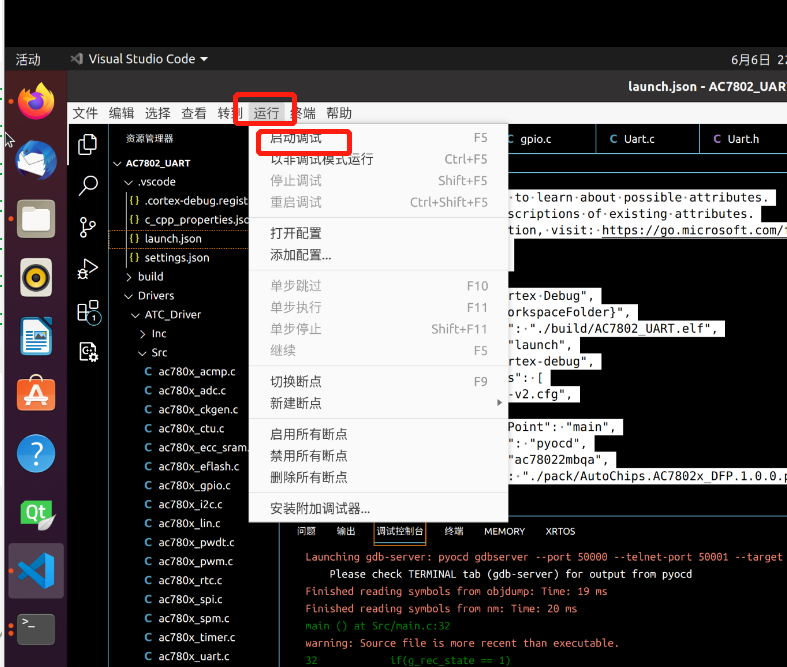
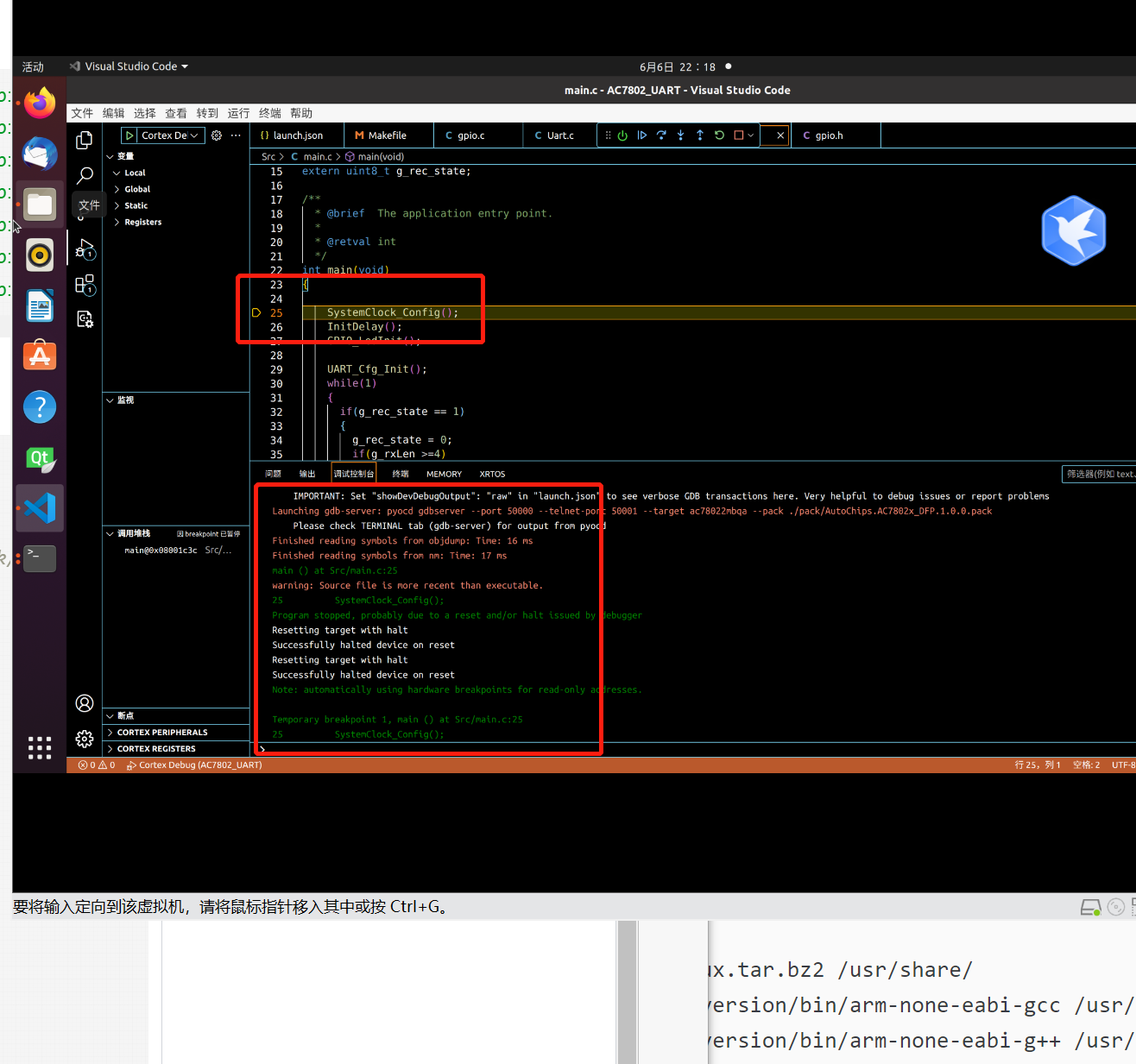
我前面因为gdb没有安装成功,后面去下载源码进行编译,花了很长的时间,最后在Downloads | GNU Arm Embedded Toolchain Downloads – Arm Developer下载包进行直接解压,快速方便。
审核编辑:汤梓红




 关注微信
关注微信