
时间:2022-08-31 08:24
人气:
作者:admin
自定义弹窗其实也是比较简单的,通过CustomDialogController类就可以显示自定义弹窗。
接下来我们通过代码来看一下
大家也都用过@Entry,@Component等弹窗的话,只要用@CustomDialog就可以
先来预览一下我实现的效果:
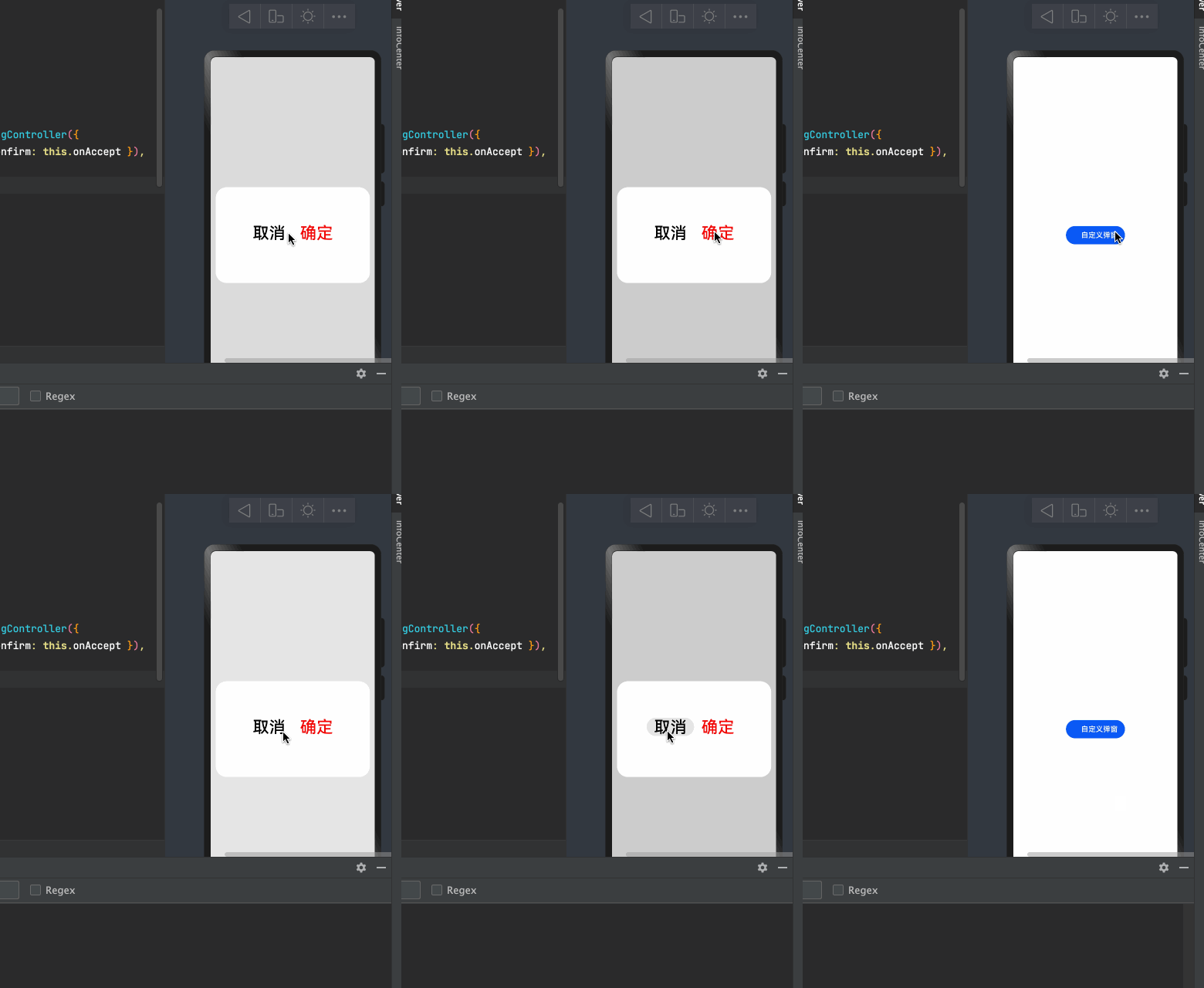
import
CustomDialogExample
from
'./customdialog'
@
Entry
@
Component
struct
Index
{
// 方式一:使用箭头函数
onAccept
=
()
=>
{
console
.
info
(
'确定'
)
this
.
dialogController
.
close
();
}
dialogController
:
CustomDialogController
=
new
CustomDialogController
({
builder
:
CustomDialogExample
({
cancel
:
this
.
onCancel
,
confirm
:
this
.
onAccept
}),
alignment
:
DialogAlignment
.
Center
,
cancel
: ()
=>
{
console
.
log
(
"cancel"
)
// 点击蒙层的回调
},
autoCancel
:
true
,
// 允许点击蒙层关闭弹窗
customStyle
:
false
// 使用自定义样式
})
onCancel
() {
console
.
info
(
'取消'
)
}
build
() {
Column
({}) {
Button
(
' 自定义弹窗'
)
.
onClick
(()
=>
{
//打开弹窗
this
.
dialogController
.
open
();
})
}.
width
(
"100%"
).
height
(
"100%"
).
alignItems
(
HorizontalAlign
.
Center
).
justifyContent
(
FlexAlign
.
Center
)
}
}
/*
* Copyright (c) 2021 JianGuo Device Co., Ltd.
* Licensed under the Apache License, Version 2.0 (the "License");
* you may not use this file except in compliance with the License.
* You may obtain a copy of the License at
*
* http://www.apache.org/licenses/LICENSE-2.0
*
* Unless required by applicable law or agreed to in writing, software
* distributed under the License is distributed on an "AS IS" BASIS,
* WITHOUT WARRANTIES OR CONDITIONS OF ANY KIND, either express or implied.
* See the License for the specific language governing permissions and
* limitations under the License.
*/
//通过CustomDialogController类显示自定义弹窗。
@
CustomDialog
struct
CustomDialogExample
{
controller
:
CustomDialogController
cancel
: ()
=>
void
confirm
: ()
=>
void
build
() {
Flex
({
justifyContent
:
FlexAlign
.
Center
,
alignItems
:
ItemAlign
.
Center
,
alignContent
:
FlexAlign
.
Center
}) {
Button
(
'取消'
).
fontSize
(
36
)
.
onClick
(()
=>
{
//方式二:关闭弹窗
this
.
controller
.
close
()
this
.
cancel
()
}).
backgroundColor
(
0xffffff
).
fontColor
(
Color
.
Black
)
Button
(
'确定'
).
fontSize
(
36
)
.
onClick
(()
=>
{
// this.controller.close()
this
.
confirm
()
}).
backgroundColor
(
0xffffff
).
fontColor
(
Color
.
Red
)
}.
margin
({
bottom
:
10
}).
width
(
"100%"
).
height
(
200
)
}
}
export
default
CustomDialogExample
上面就是一个简单的自定义弹窗
接下来看一下它的有关属性
CustomDialogController 定义了 open() 和 close() 方法,它们说明如下:
open:打开对话框,如果对话框已经打开,则再次打开无效。
close:关闭对话框,如果对话框已经关闭,则再次关闭无效。
value:创建控制器需要的配置参数,
说明如下:
builder:创建自定义弹窗的构造器。
cancel:点击蒙层的事件回调。
autoCancel:是否允许点击遮障层退出。
alignment:弹窗在竖直方向上的对齐方式。
offset:弹窗相对 alignment 所在位置的偏移量。
customStyle:弹窗容器样式是否自定义。
源码
declare interface CustomDialogControllerOptions {
/**
* Custom builder function.
* @since 7
*/
builder: any;
/**
* Defines the cancel function.
* @since 7
*/
cancel?: () => void;
/**
* Defines if use auto cancel when click on the outside of the dialog.
* @since 7
*/
autoCancel?: boolean;
/**
* Defines the dialog alignment of the screen.
* @since 7
*/
alignment?: DialogAlignment;
/**
* Defines the dialog offset.
* @since 7
*/
offset?: Offset;
/**
* Defines if use costom style.
* @since 7
*/
customStyle?: boolean;
/**
* Grid count of dialog.
* @since 8
*/
gridCount?: number;
}
DialogAlignment的位置
| 名称 | 描述 |
|---|---|
| Top | 垂直顶部对齐。 |
| Center | 垂直居中对齐。 |
| Bottom | 垂直底部对齐。 |
| Default | 默认对齐。 |
| TopStart8+ | 左上对齐。 |
| TopEnd8+ | 右上对齐。 |
| CenterStart8+ | 左中对齐。 |
| CenterEnd8+ | 右中对齐。 |
| BottomStart8+ | 左下对齐。 |
| BottomEnd8+ | 右下对齐。 |
自定义弹窗
语法糖


1TOPS算力+6nm工艺,功耗再降30%!BES6000即将




 关注微信
关注微信